
If you are leaving 27 Crags we will be sad to see you go! But if you must, you can delete your account with the following steps.
Please note that deleting your account doesn't cancel the Premium subscription. If you'd like to just cancel your subscription, check instructions for that here.
Deleting the account can't be undone and all your information (besides contributed topo content) in 27 Crags will be deleted.
1. Log in to your account on the website
2. Click on your profile icon in the top right (see the image below)
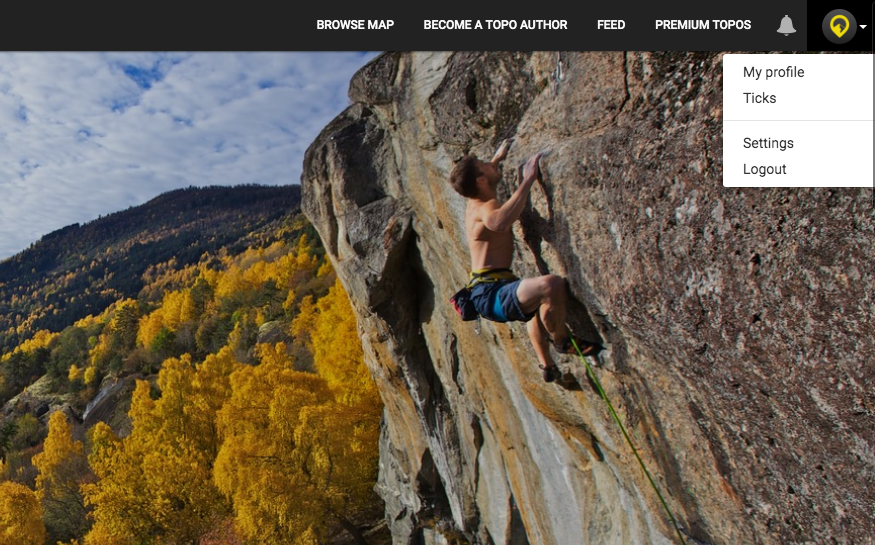
3. Choose settings
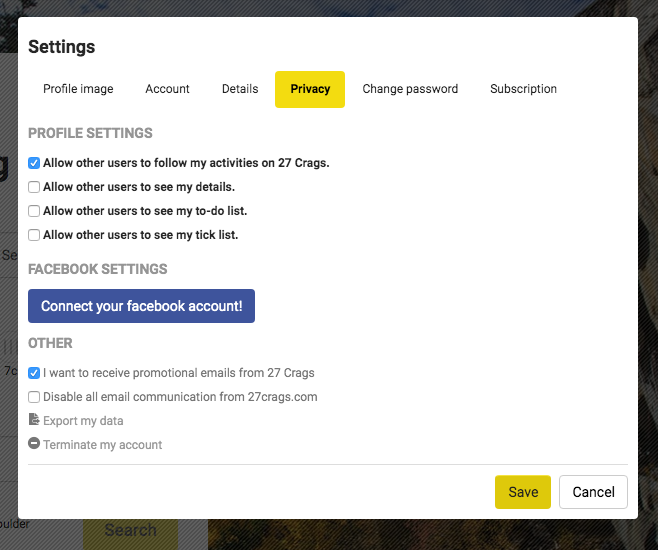
4. Choose Privacy
5. Click "terminate my account" at the bottom (see the image below)
That's it! If there is a specific reason why you want to leave 27 Crags, get in touch and let us know. We are always trying to improve the platform and we would love to try and help you.